Draw around an idea, snap to a window or take the whole display. For pages that run past the bottom of the screen, Capto scrolls and stitches the result. Try the selection below: it measures this sample, never your screen.
Try a selection
PROJECT NOTES / 01
Good ideas deserve a great capture.
A detail, a discovery, a new angle. Keep the part that moves your work forward.
MAKE SOMETHING OF IT01
Drag to frame part of this note. Nothing on your screen is captured.
Area captureAltShift2
AreaDrag any region, with a magnifier for exact edges.
WindowClick a window for a clean shot, with or without its shadow.
FullscreenTake the display you are working on in one keystroke.
Scrolling captureCapto scrolls and stitches long pages into one image.
Self-timerA short delay for menus, tooltips and hover states.
Size presetsLock a selection to a fixed size or aspect ratio.
TimestampsOptionally stamp the date and time onto screenshots.
Clipboard or fileCopy automatically, save automatically, or both.
Quick Access
Every new capture lands in a small overlay in the corner you choose. Copy it, save it, drag it into another app, open the editor or pin it, then get back to work.
CopySave
Annotate
Point to the detail, number the steps and hide what should stay private. The demo below is the real Capto editor, compiled from the app and running in your browser.
CaptoLive demo
This is the real Capto editor. Draw on the sample, switch tools, undo, then save a PNG.AltShift9
Area and annotateAltShift9
Arrows and linesSolid or dashed, in any colour and weight.
Rectangles and ellipsesOutline a detail or fill a shape.
TextLabels and notes right on the image.
CounterNumbered steps that count up as you click.
Draw and highlightFreehand strokes and a marker for key lines.
Pixelate and blurHide faces, names and numbers.
CropTrim the canvas to the part that matters.
BackgroundFrame the capture with padding, a backdrop and a shadow.
Redact sensitive text
Capto scans the image on your PC for emails, keys, card numbers and similar text, then lets you review and cover each one before you share.
3 items found
Styles
Apply a finished look in one click: a backdrop, padding, rounded corners and a shadow that suit docs, slides or a chat message.
Record
A walkthrough, a quick explanation or a bug in motion. Record a region, a window or the whole screen with system sound, your microphone and an optional camera bubble, then trim it and export.
Start recordingAltShift6
Area, window or screenRemember the last area if you record the same thing often.
Microphone and system soundRecord either or both, each with its own level.
Camera bubbleCircle, square, landscape or portrait; small, medium or large.
Click highlightsA ring shows every click in the recording.
Key pressesShow the keys you press on screen.
Countdown and dimmingA countdown before you start and an optional dimmed screen.
Frame rate and smoothingPick the frame rate and smooth pointer movement.
MP4 or GIFTrim the start and end, then export either format.
Text and translation
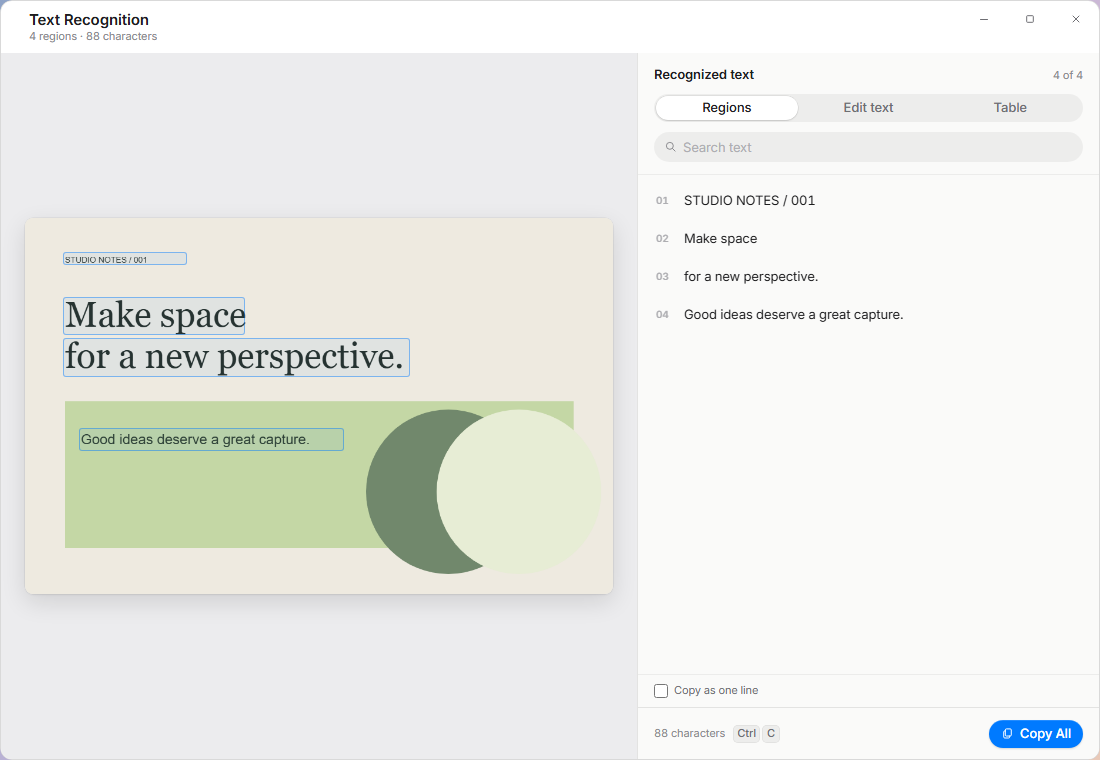
Screenshots, slides and apps that will not let you select their text. Capto reads the words on your device so you can copy them anywhere. Need another language? Translate captured or selected text with the provider you set up. Neither one adds anything to History.
Extract textAltShift5
Capture and translateAltShiftT
Translate selectionAltShiftY
On-device recognitionEnglish plus the language you choose, processed locally.
Search, edit, copyPick regions, fix a word, copy one line or everything.
26 provider presetsDeepL, Google Cloud, OpenAI, Gemini, Mistral, local Ollama and more.
Only what you chooseThe provider receives just the text you ask to translate.
Library and sharing
Copy to the clipboard, save a file, find it later in the Library, or share a link from storage you own.
LibraryAltShift0
Area and shareAltShiftS
invoice
Search by the words inside
With History on, Capto indexes the text in your captures while your PC is idle.
Favorites12Design review8Recently deleted3
Favorites, collections, trash
Star keepers, group captures by project, and restore what you deleted by mistake.
Pin to screen
Keep a capture floating above your other windows while you work.
Link copied
R2S3COSOSS
Your own cloud
Connect Cloudflare R2, Amazon S3, Tencent COS or Aliyun OSS. Capto signs uploads locally with your keys.
Control stays with you
No product telemetry, no required Capto account, and nothing leaves your PC until you share it. Read the privacy details
Shortcuts and settings
Capto fits the way you already work. Remap anything, save your favourite capture setups, and decide exactly where files go.
All-in-OneAltShift1
Remappable shortcutsThirteen defaults on Alt + Shift, with conflict checks. See them all
Capture workflowsSave a capture with its own folder, format, size and audio settings.
File names and foldersName templates and optional monthly folders.
Clipboard formatCopy PNG, JPEG or the file path.
Snipping Tool keysOptionally let Capto handle Print Screen and Win + Shift + S.
Automation URLsThe capto:// scheme stays off until you turn it on.
Signed updatesChecked automatically, installed on restart.
Light and darkFollow Windows or pick an appearance.
 CaptoLive demo